Feature 01
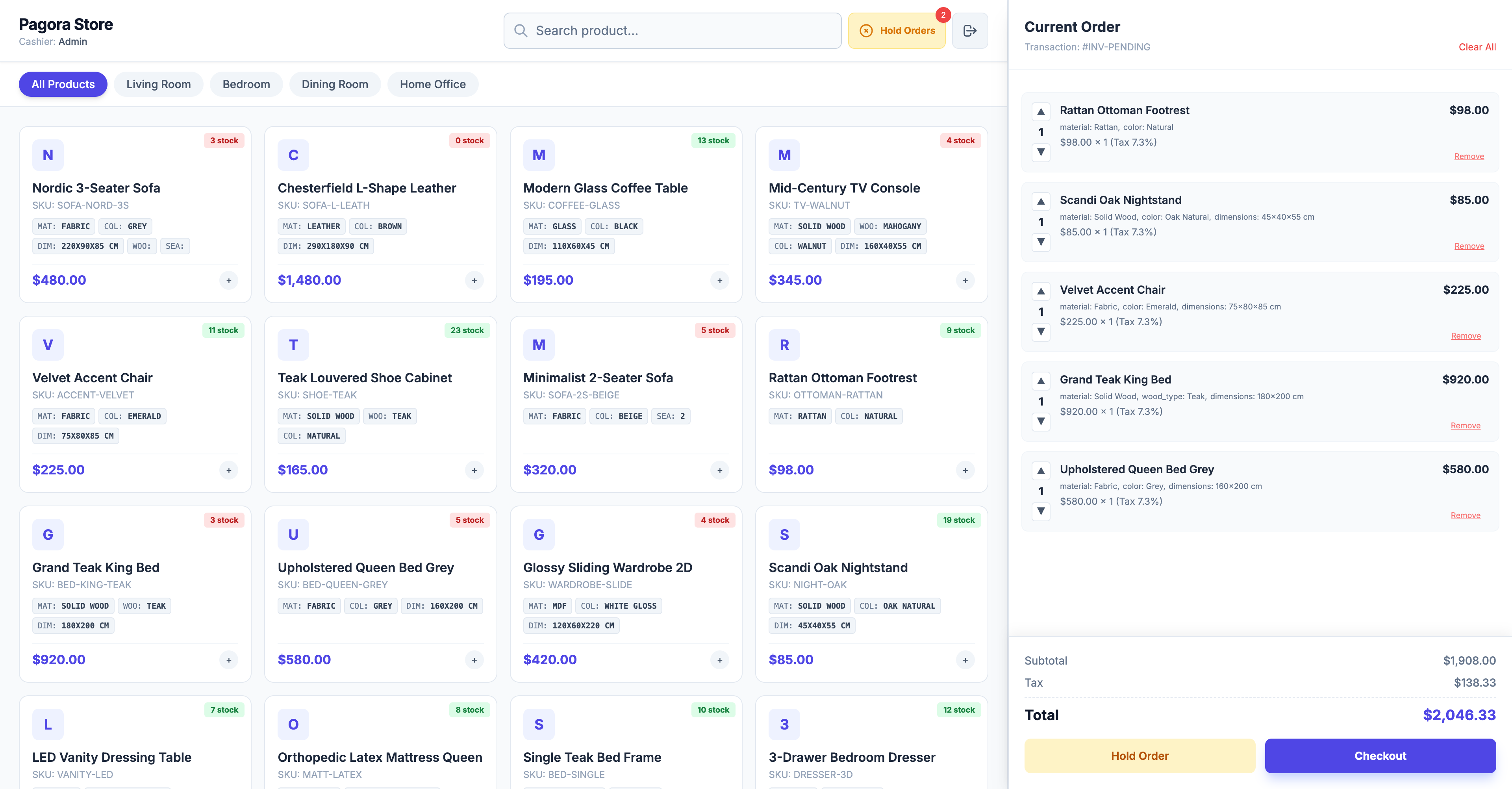
Point-of-Sale Terminal
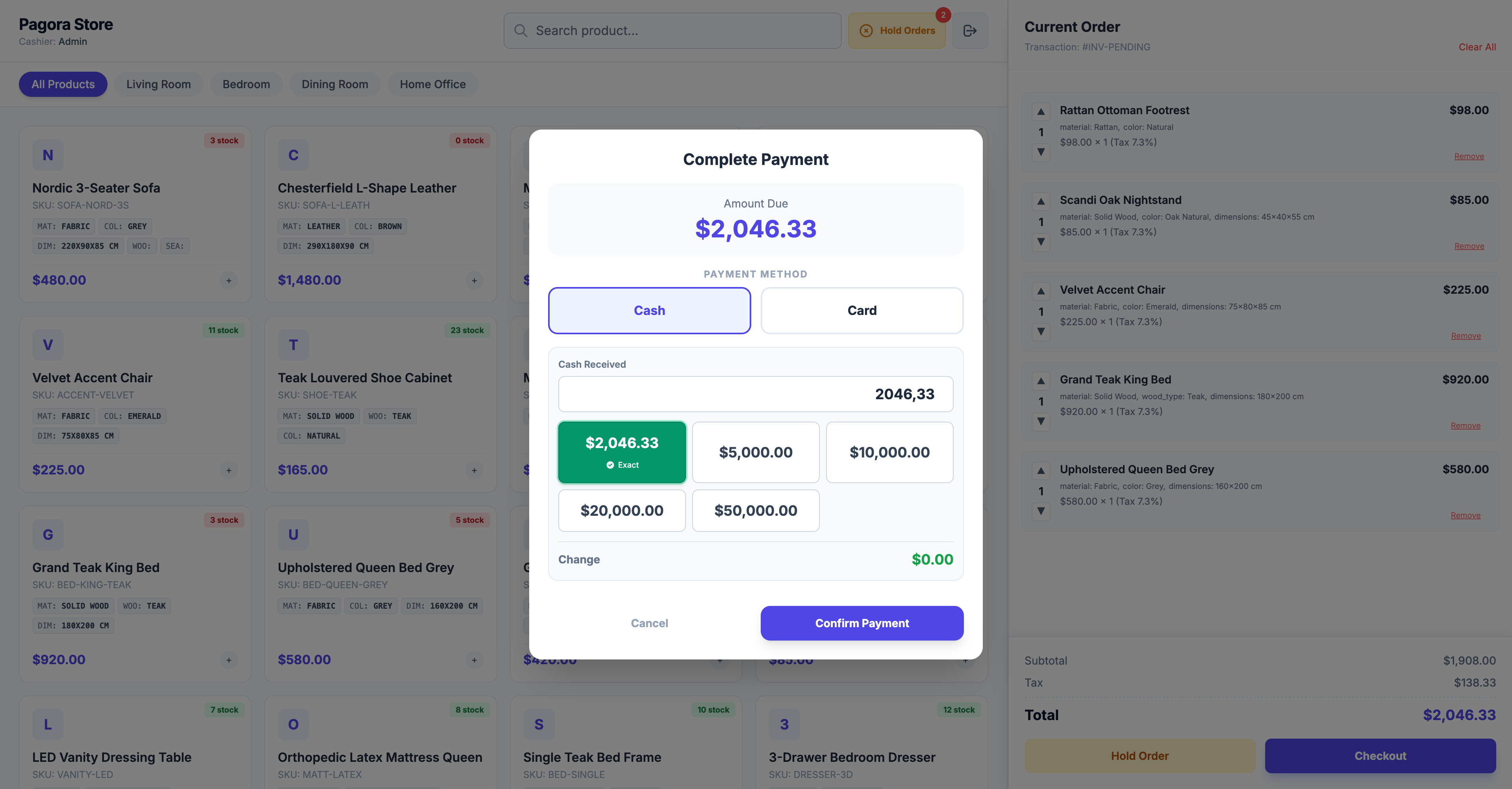
💳 Payment Processing
- Cash Flow: Integrated suggested denominations for quick cash handling and change calculation.
- Card Payments: Supports Non-Integrated External Terminals. This means you can use any bank terminal (Chase, Wells Fargo, etc.). The cashier simply records the transaction reference in Pagora POS for accounting.
Feature 02
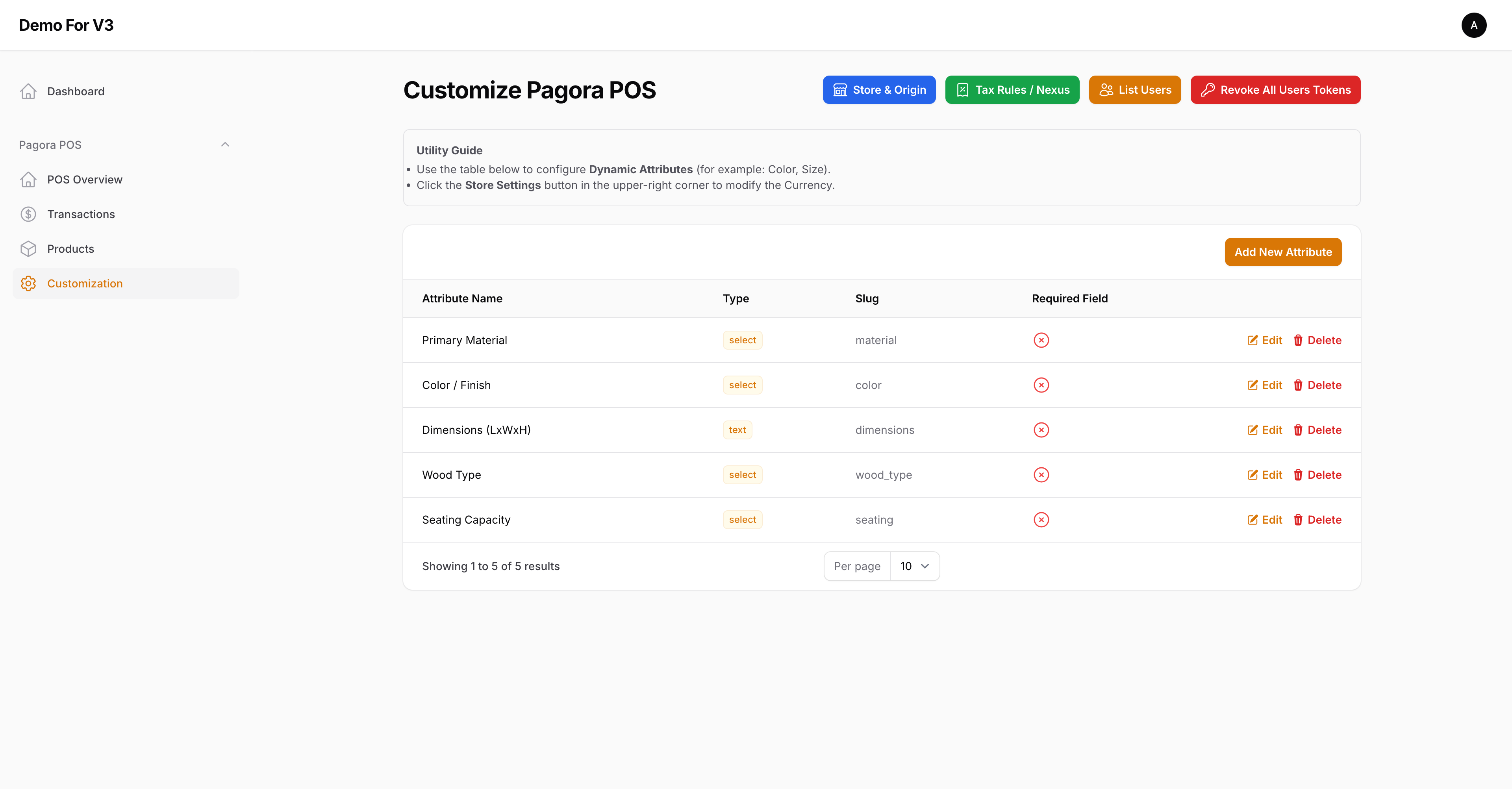
Customization & Store Logic
🌍 Store & Origin Settings
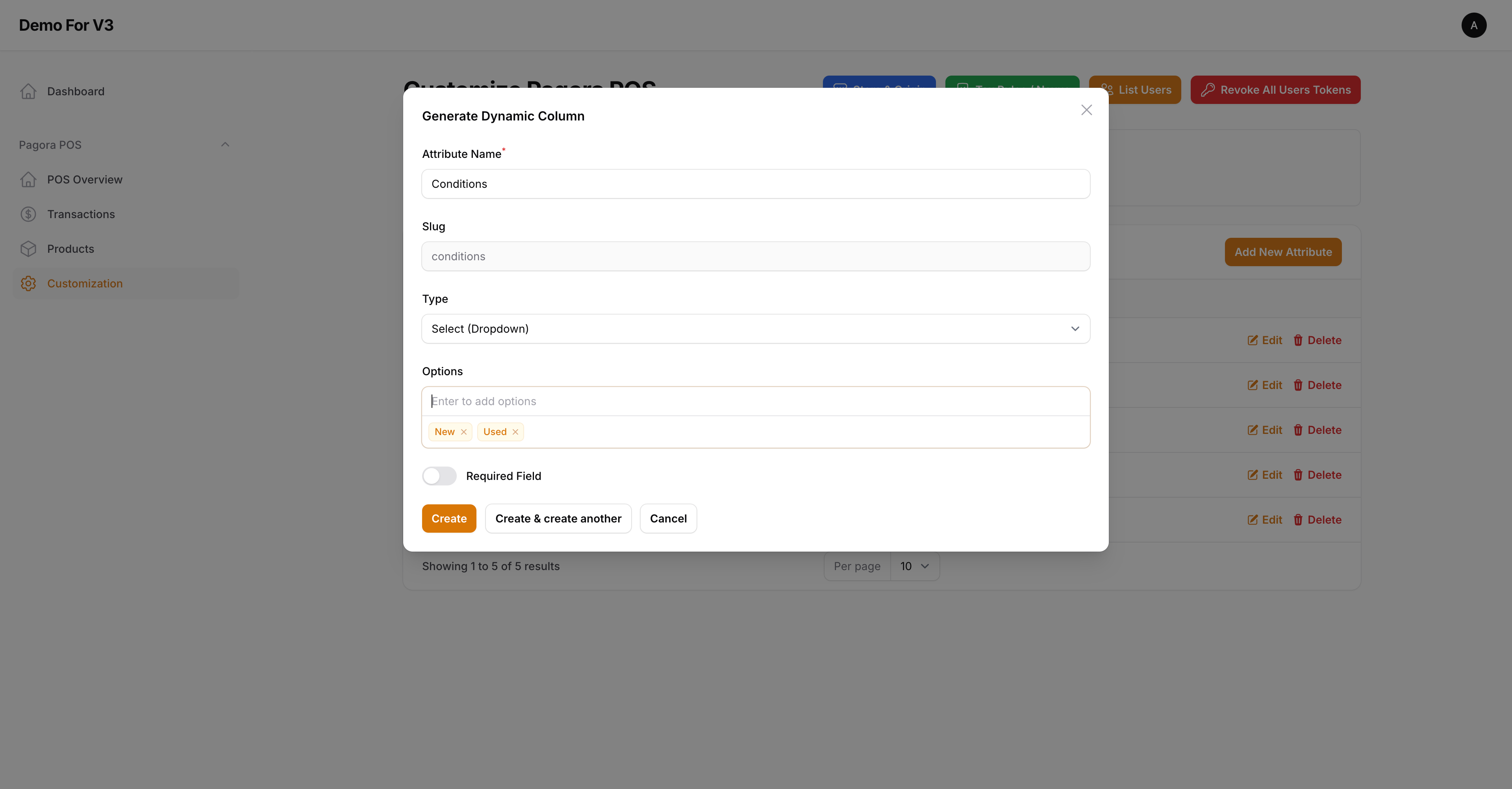
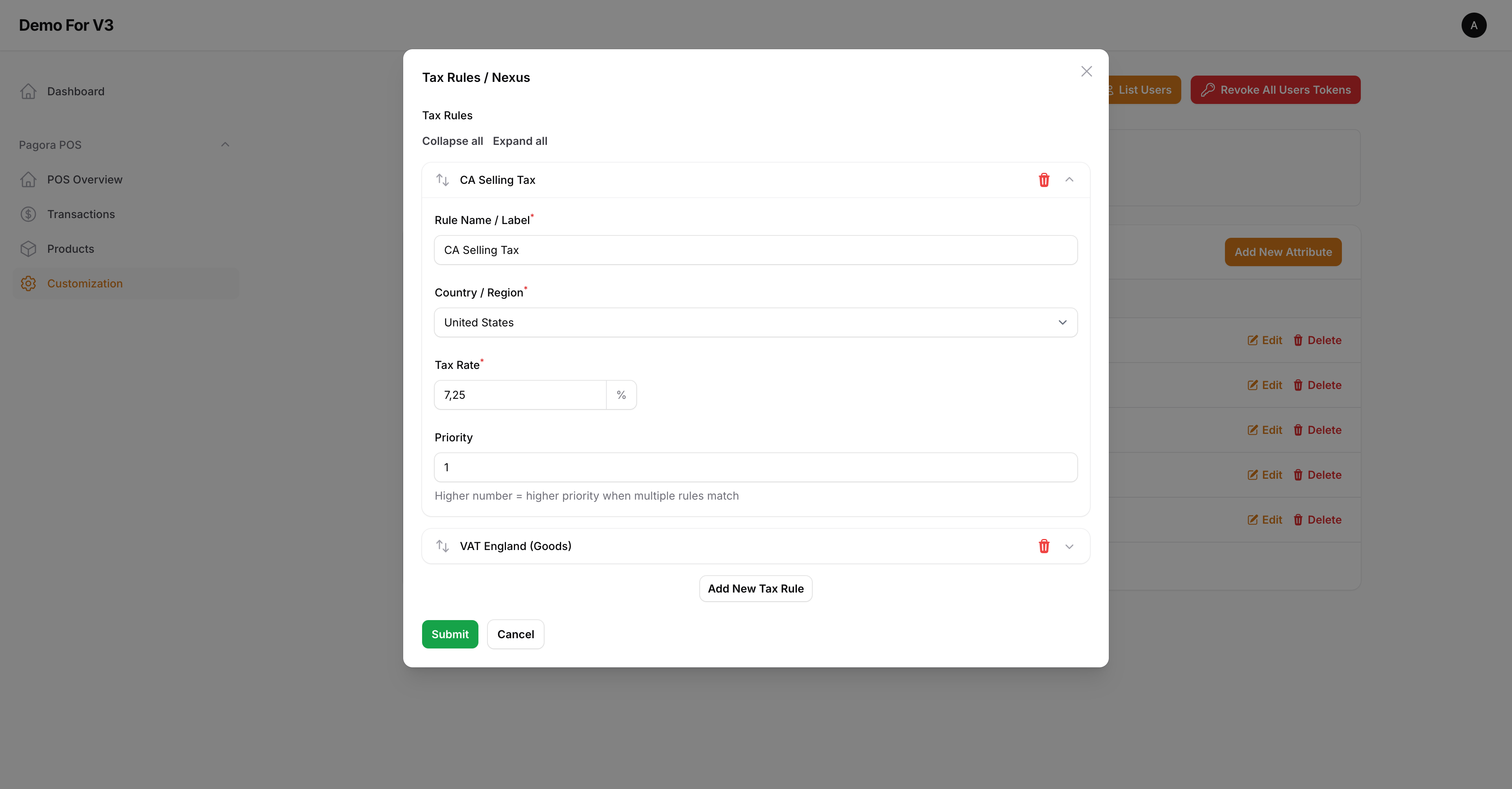
- Store Information: Define your branding and contact details for system.
- Origin Address: This is critical. Set your physical store location as it serves as the base for Nexus-based tax calculations.
Feature 03
Product & Inventory Management
📦 Unified Edit Interface
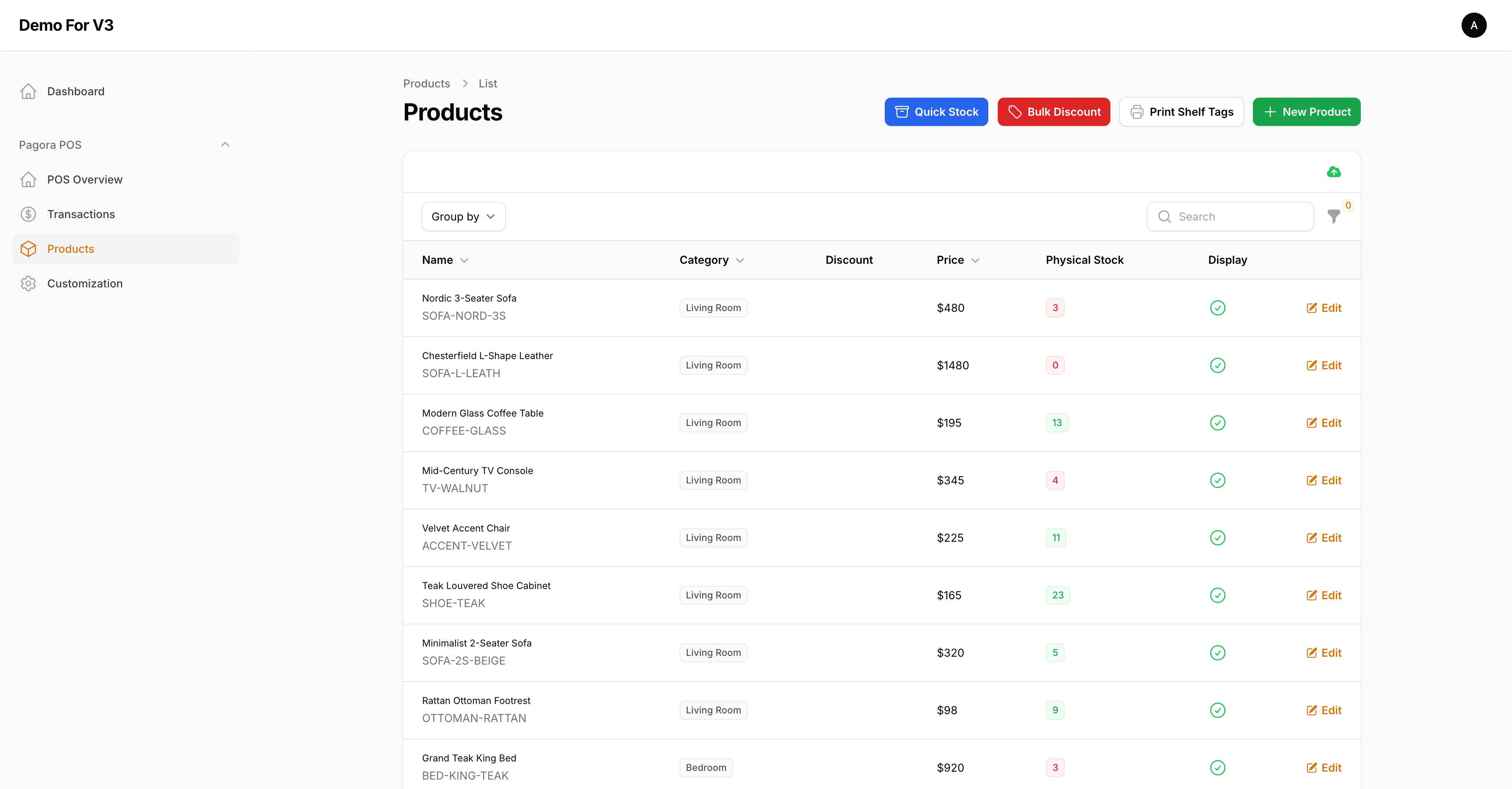
Manage product details, pricing, and category assignments from a single, streamlined page.
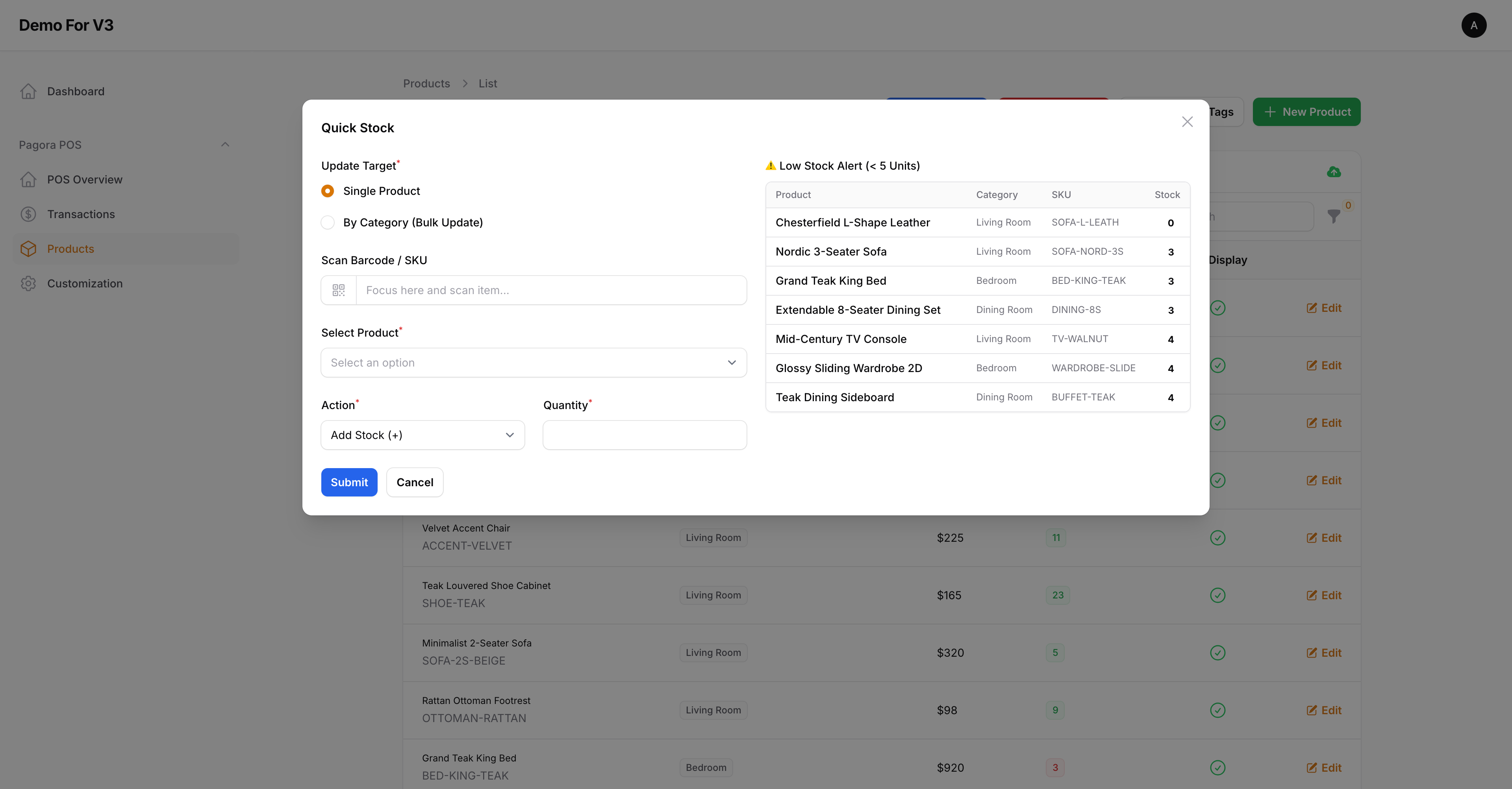
- Target Management: Set stock levels for single products or perform bulk updates by category.
- Barcode Integration: Use a physical scanner to find SKUs instantly for stock adjustments.
- Low Stock Alerts: Automated visual cues for items that fall below your defined threshold.
- Promotional Rules: Apply percentage or fixed-value discounts to entire categories in seconds.
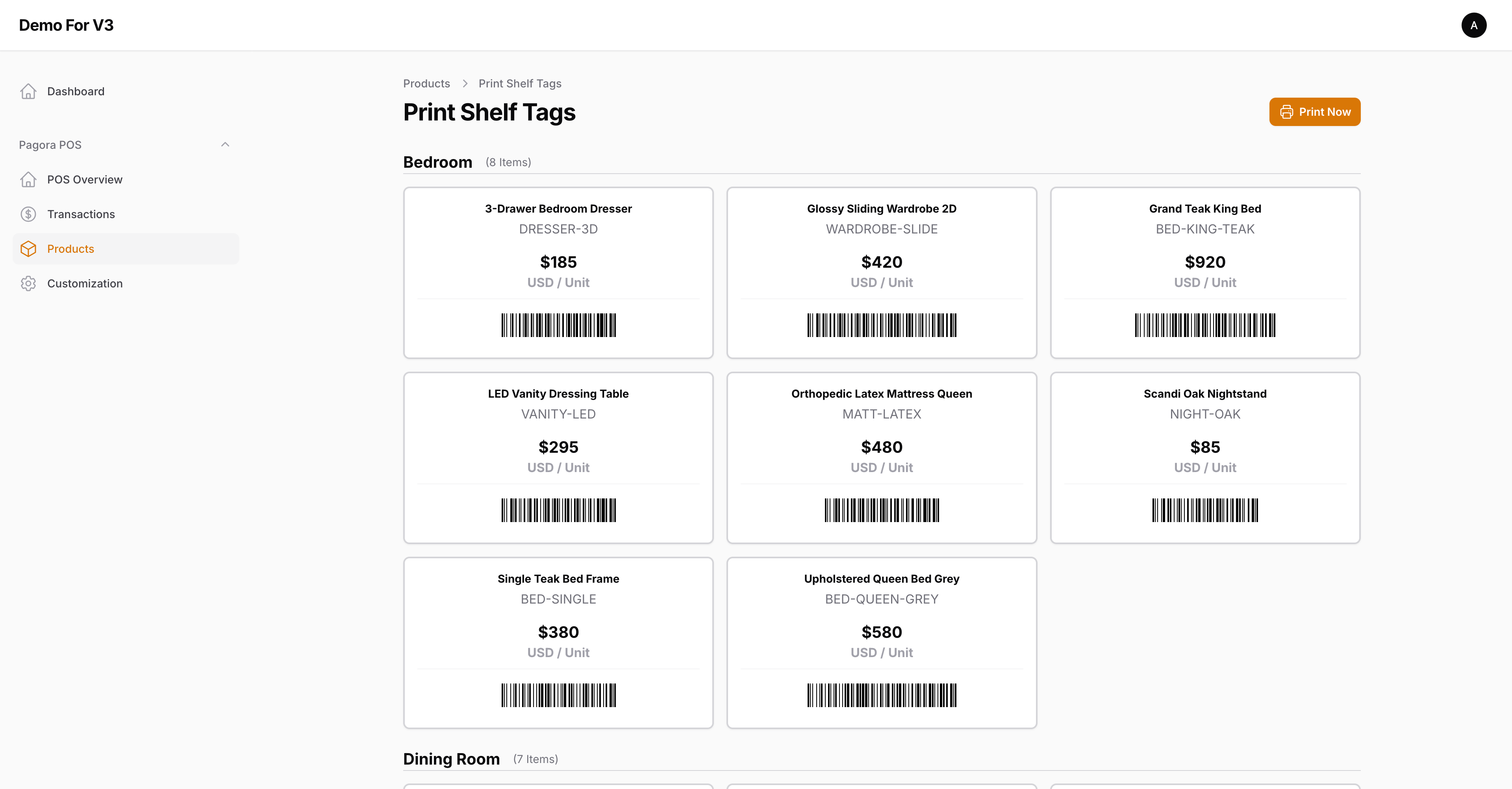
- Shelf Tags: Generate and print retail labels (Shelf Tags) including SKU, price, and barcode.
Feature 04
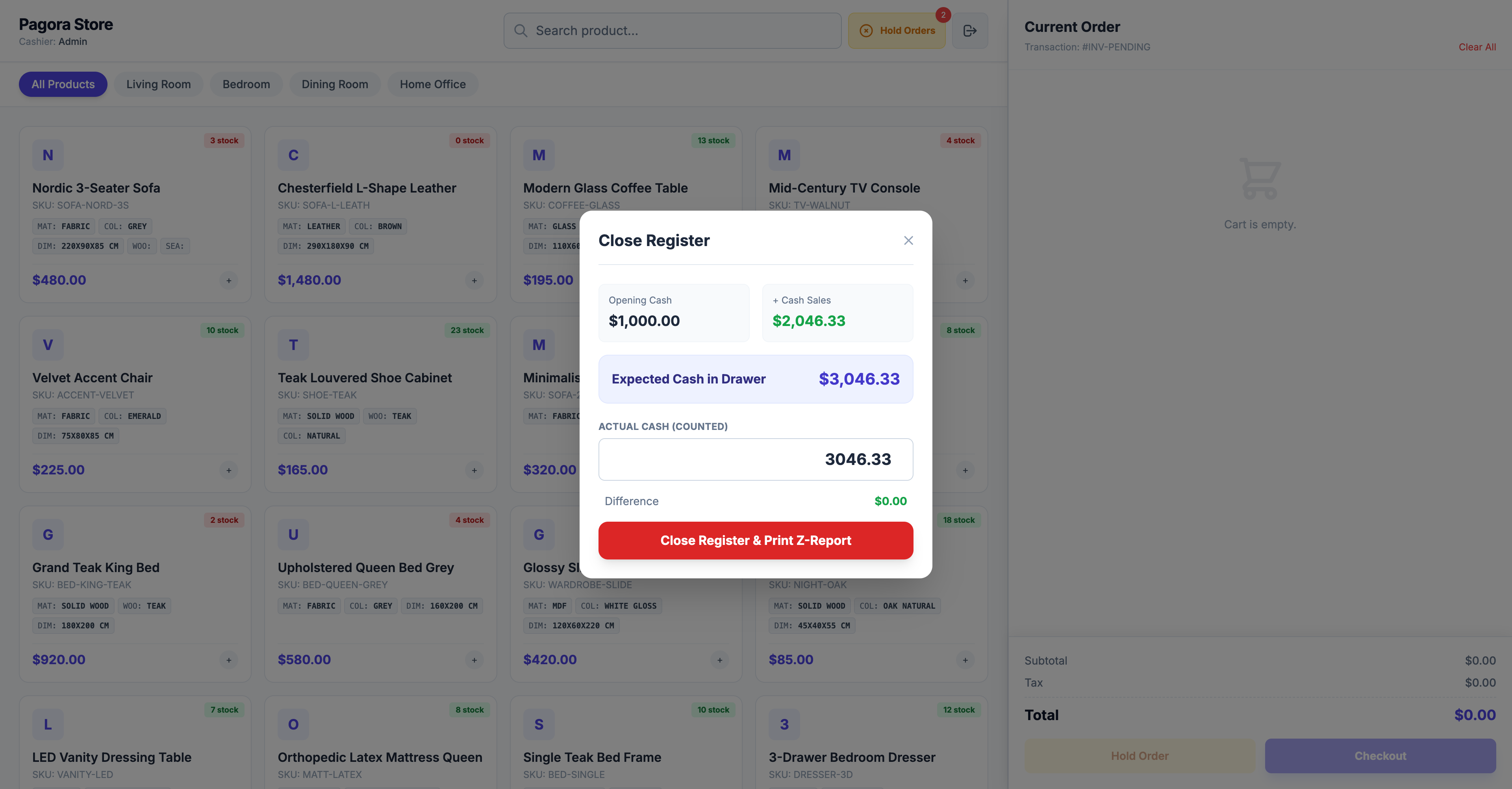
Transactions & Reporting
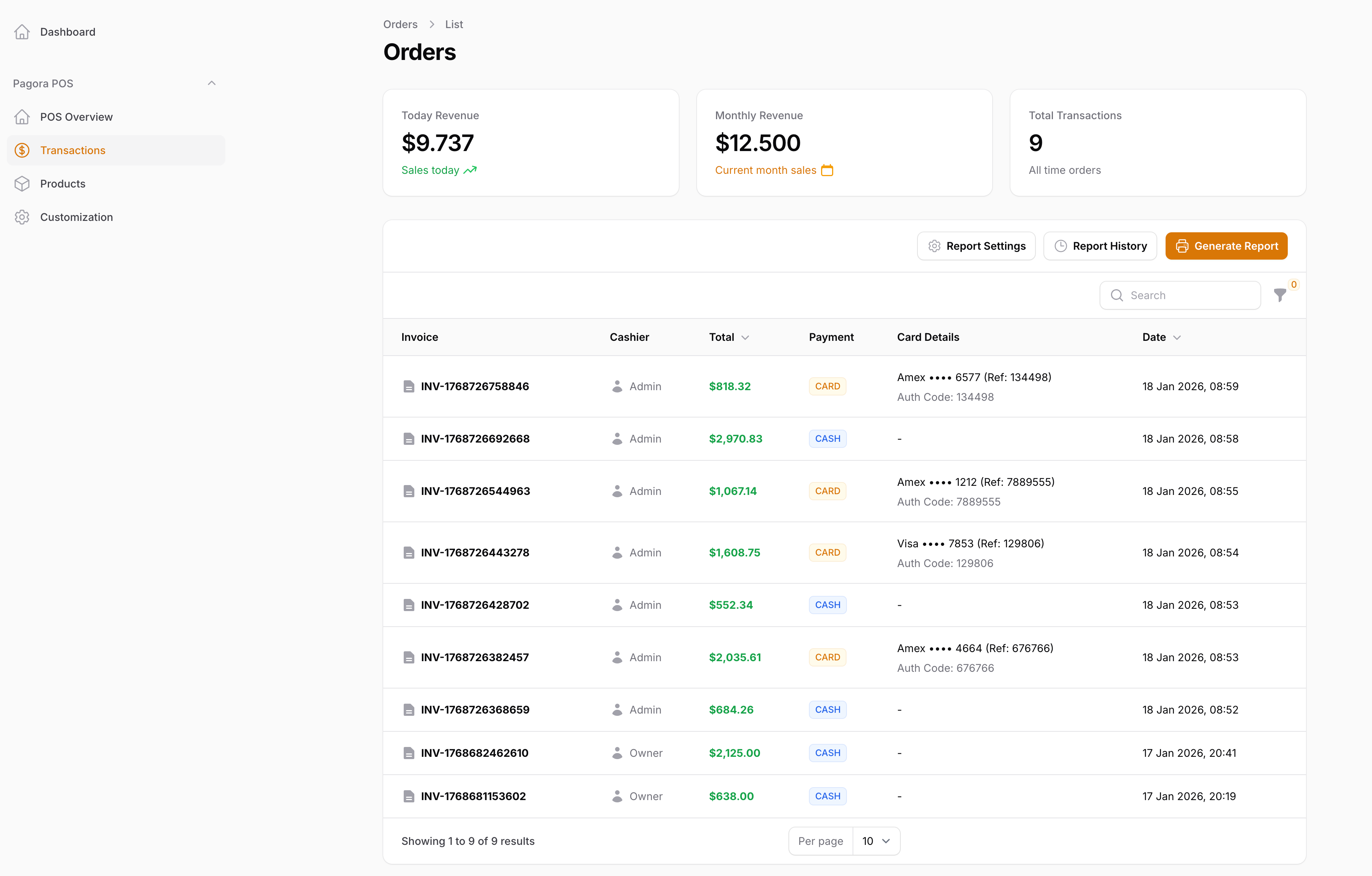
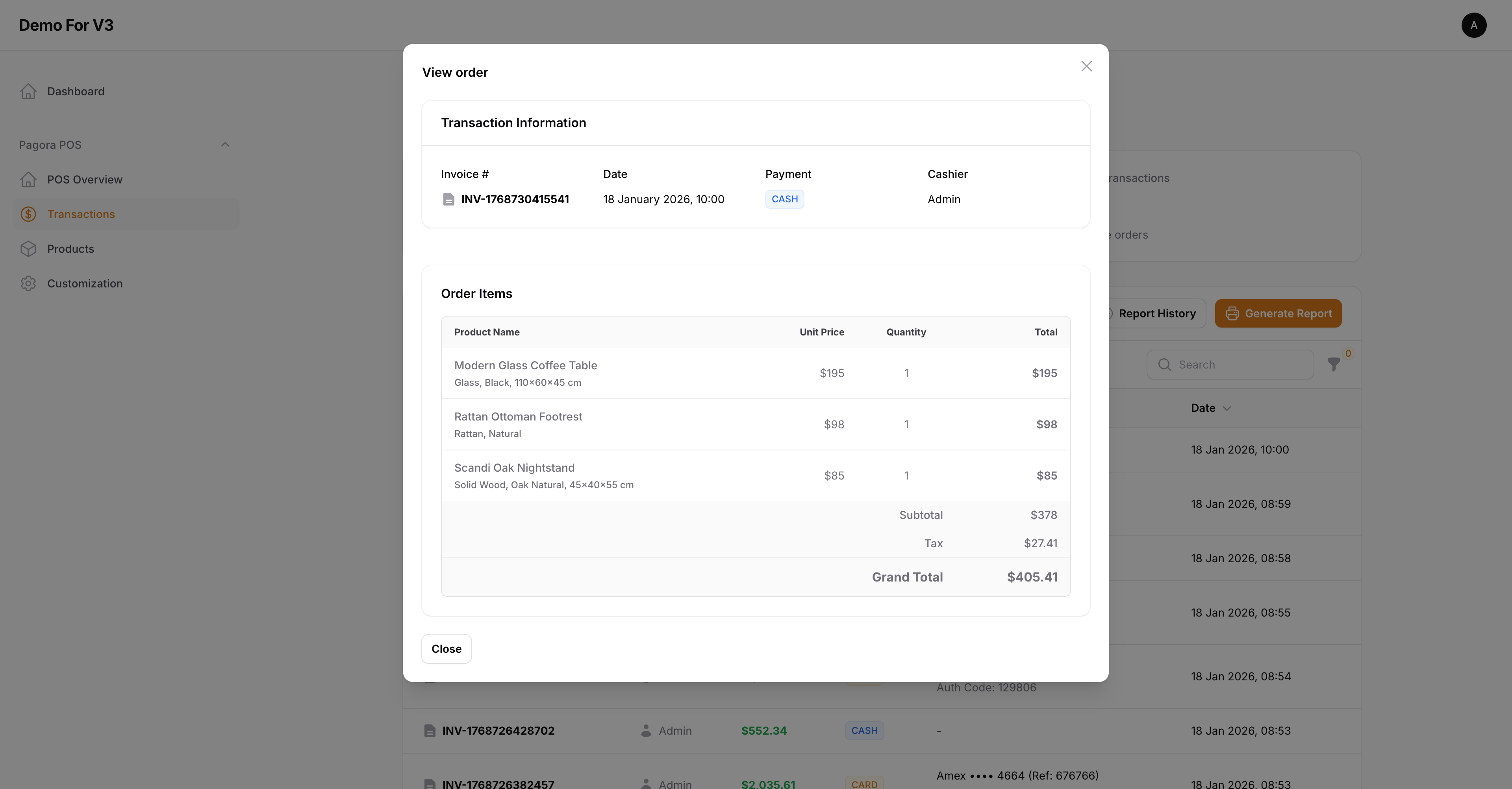
🧾 Order History
Access a complete summary of every order, including payment methods used, tax collected, and cashier ID.
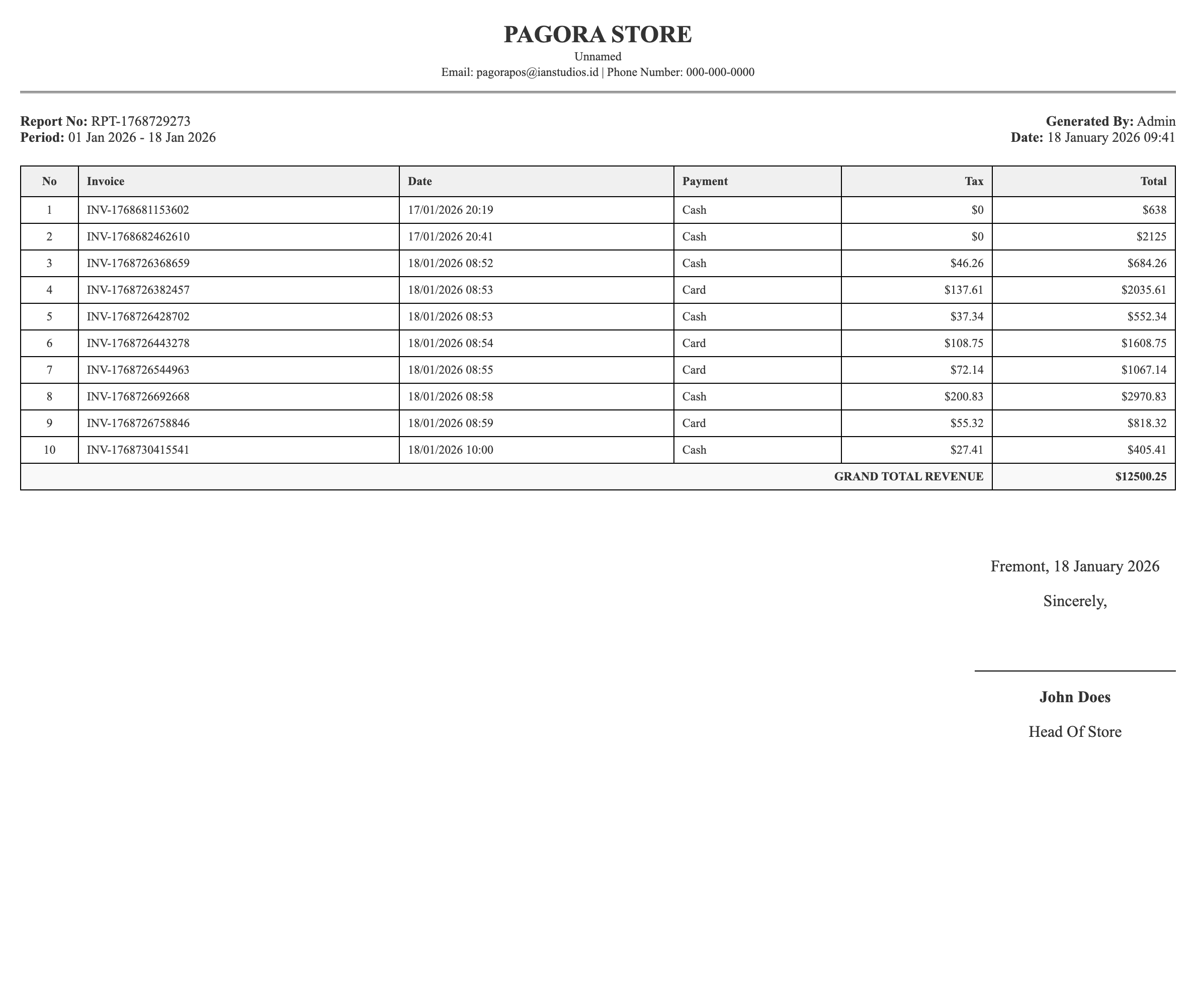
- Customization: Set custom report headers and signature purpose for official financial documents.
- Date Filtering: Generate PDF or Excel reports for specific months, quarters, or custom date ranges.
Feature 05
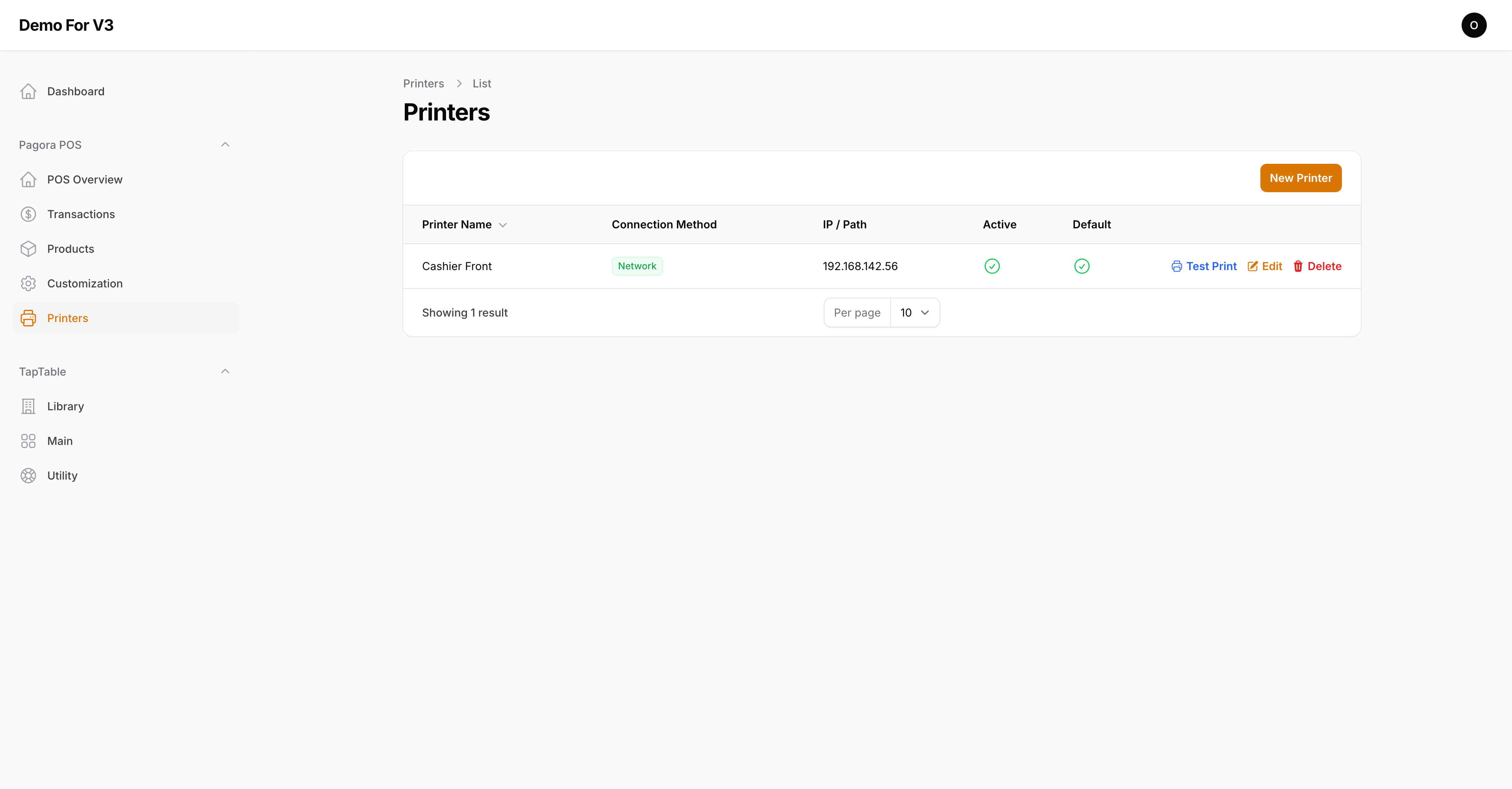
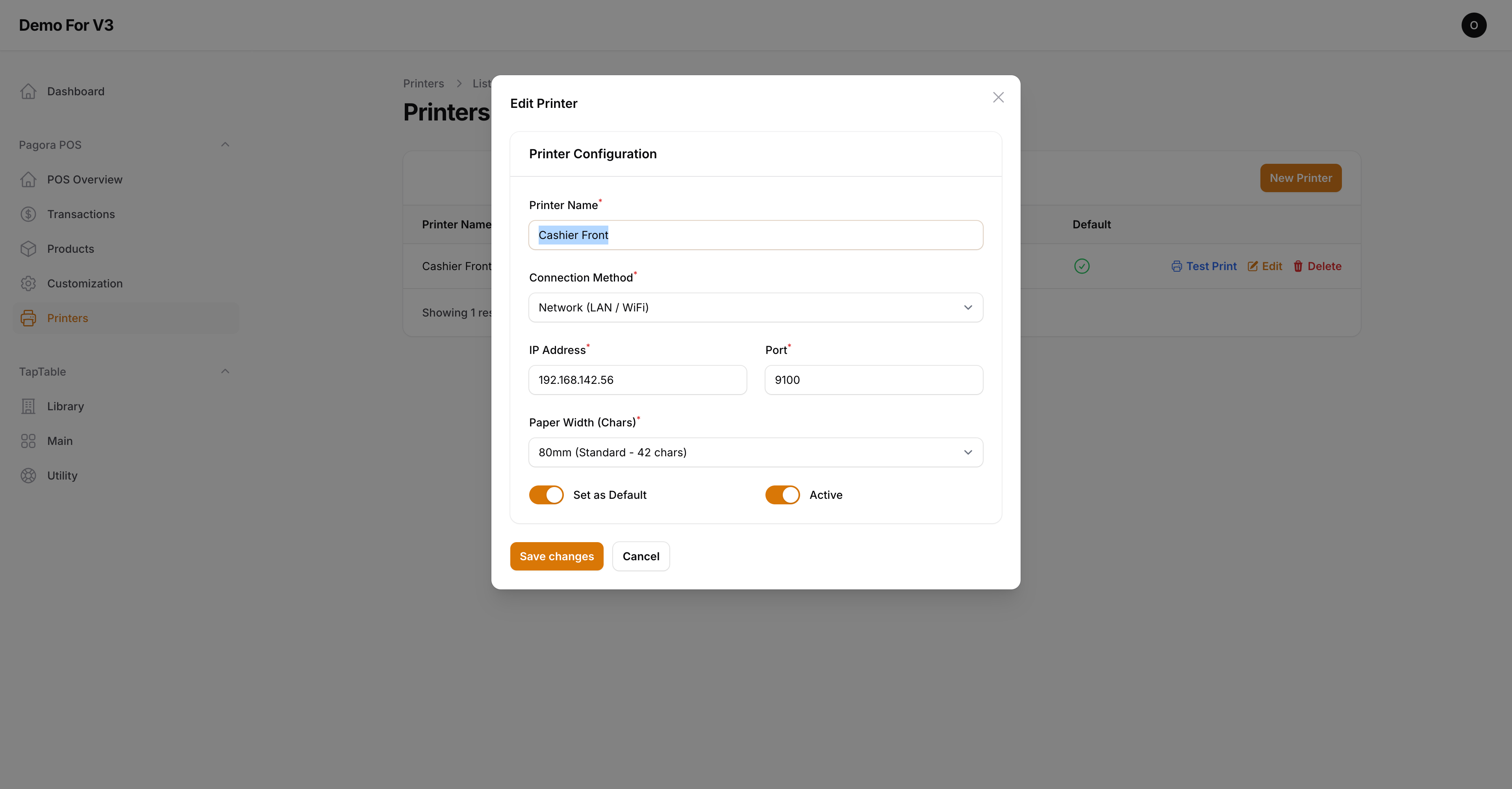
Seamless Printer ESC/POS Support
🖨️ Connectivity Options
- Network (LAN/WiFi): Connect directly to printers sharing the same network via IP Address (Port 9100).
- USB & Bluetooth: Supports printing via local device paths (e.g., /dev/usb/lp0 on Linux or Shared Printers on Windows).
- Direct Printing: Receipts print instantly without opening a PDF or browser popup.
- Native Formatting: Receipts are formatted using raw ESC/POS commands (Bold, Center, Double Width) for a professional, sharp look regardless of the browser or device used.