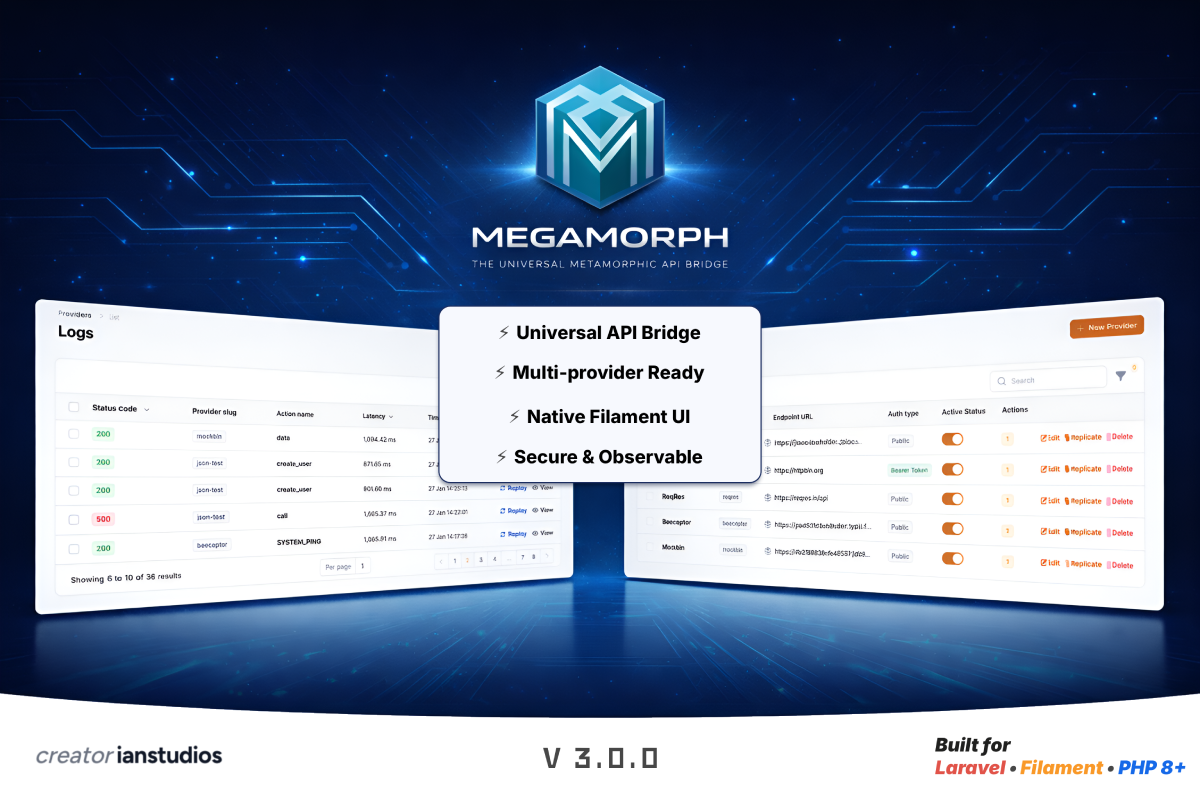
Build integrations without code. Decouple your application logic from third-party vendor constraints with a powerful, metamorphic transformation layer.
Megamorph empowers developers to create flexible, scalable API integrations for Laravel applications using Filament. Say goodbye to rigid code and hello to configurable, metamorphic mappings that adapt to any vendor's requirements—effortlessly.
💡 Why Choose Megamorph?
In today's fast-paced development landscape, modern applications are frequently hampered by vendor lock-in and hardcoded integration debt. Integrating third-party APIs often involves crafting brittle DTOs (Data Transfer Objects), manual data mappers, and ad-hoc logging for each provider. When vendors update their schemas (e.g., renaming a field from "email" to "user_email") or you need to switch providers, your codebase demands extensive refactoring, leading to downtime and frustration.
Common Pain Points with Standard HTTP Clients
-
The Deployment Bottleneck: Even trivial changes, like field renames, necessitate code updates, pull requests, reviews, and deployments—slowing your team down.
-
The "Black Box" Syndrome: Basic
Http::post()calls lack transparency. Without manual logging, debugging production issues becomes a guessing game, wasting hours on root-cause analysis. -
Transformation Overload: Controllers and services bloat with vendor-specific logic—formatting dates, computing taxes, or string manipulations—just to match the API's JSON structure.
-
Vendor Lock-In Trap: Migrating from one provider (e.g., Stripe to PayPal) requires a full rewrite of your integration layer, risking bugs and extended timelines.
Megamorph solves these by introducing a metamorphic layer that treats API integrations as configuration, not code. Send your internal data structures, and let Megamorph dynamically "morph" them to fit any vendor—all managed through an intuitive Filament UI.
🚀 Key Features
Megamorph is designed for real-world scalability, with features that streamline development, operations, and auditing:
-
Zero-Code Mapping: Visually map your internal data keys to external vendor fields using a drag-and-drop Filament interface—no PHP changes required.
-
Dynamic Expression Engine: Leverage Symfony Expression Language for advanced transformations, including math operations, string manipulations, conditionals, and more—right within your mappings.
-
Environment Swapping: Effortlessly switch between sandbox and production credentials via the UI, eliminating the need to edit
.envfiles or manage multiple configs. -
Shadow Logs (Full Audit Trail): Gain deep visibility with automatic logging of every request and response, including payloads, headers, and metadata—for effortless debugging and compliance.
-
Smart Replay: Handle vendor outages gracefully by replaying failed requests with one click, reducing manual intervention and data loss.
-
Bulk CSV Export: Generate professional reports for finance, audit, or compliance teams with filtered, exportable log data.
-
Log Retention Policies: Maintain a lean database with automated purge commands, ensuring performance in high-traffic environments.
-
Polymorphic Linking (v1.1 Roadmap): Directly associate logs with your application's Eloquent models (e.g., User, Order) for contextual insights.
📖 How It Works: Core Concepts
Megamorph operates on a hierarchical structure for clarity and flexibility:
-
Provider: Represents the third-party service (e.g., "Payment Gateway" like Stripe or "Email Service" like SendGrid).
-
Endpoint: Defines specific actions within a provider (e.g., "Charge Card" or "Send OTP").
-
Mapping: Configures transformation rules for each endpoint, including key mappings, expressions, and authentication.
Feature Comparison: Megamorph vs. Standard Laravel HTTP
| Feature | Standard Laravel HTTP | Megamorph Bridge |
|---|---|---|
| Field Mapping | Hardcoded in PHP | Configured via UI |
| Logic/Formulas | Inside Controllers | In Metamorphic Layer |
| Logging | Manual / Third-party | Native "Shadow Logs" |
| Field Changes | Requires Deployment | Instant via Dashboard |
| Switching Vendors | Heavy Refactoring | Swap Provider in UI |
| Audit & Replay | Custom Implementation | Built-in Smart Replay & Exports |
This table highlights how Megamorph reduces technical debt and accelerates iterations.
📦 Installation
1. Configure Repository
Add the Megamorph private repository to your composer.json file:
"repositories": [
    {
        "type": "composer",
        "url": "https://megamorph.creator.ianstudios.id"
    }
]
2. Authentication
Before installing, authenticate your environment using the license key provided upon purchase:
composer config http-basic.megamorph.creator.ianstudios.id license YOUR_LICENSE_KEY
3. Retrieve Package
Download the package via Composer. This will pull the latest stable version from our private registry:
composer require ianstudios/megamorph
4. Run the Installer
This command prepares your application for Megamorph. It will publish the configuration file (config/megamorph.php) so you can define your drivers and settings. It also publishes the database migrations required to create the tables for storing API audit logs
php artisan megamorph:install
5. Register the Plugin
In your app/Providers/AdminPanelProvider.php:
use Ianstudios\Megamorph\MegamorphPlugin;

public function panel(Panel $panel): Panel
{
    return $panel
        ->plugins([
            MegamorphPlugin::make(),
        ]);
}
After installation, access the Megamorph dashboard in your Filament admin panel to configure providers, endpoints, and mappings.
🛡️ REST Mode: Request Via Route
Megamorph allows you to call any integrated API through a single, unified entry point. This acts as a security buffer, where sensitive credentials never leave your server, and data is "morphed" before reaching the final destination.
📊 Supported Provider Types
Megamorph is designed to handle various authentication and communication styles. Below is a comparison of how different providers are managed:
| Provider Type | Auth Method | Header / Signature | Ideal For |
|---|---|---|---|
| Public API | None | None | Public data, Weather, etc. |
| Rest API | Bearer Token | Authorization: Bearer {token} |
SaaS, Modern platforms. |
| Legacy API | Basic Auth | Authorization: Basic {base64} |
Banking, Enterprise systems. |
| Secure API | API Key | X-API-KEY: {key} |
Developer tools, Gateways. |
| Signed API | HMAC / Signature | X-Signature: {hash} |
Payment Gateways (Midtrans/Stripe). |
Unified Request Structure
Once a provider and action are configured in the Filament Dashboard, you can trigger the API using the following proxy URL:
Endpoint:
POST/GET | /{prefix}/api/{provider-slug}/{action-slug}
Example Request:
curl -X POST https://api.yourdomain.com/megamorph/api/stripe/create-charge \
     -H "Authorization: Bearer [Your Inbound Access Token]" \
     -H "Content-Type: application/json" \
     -d '{
           "user_id": 45,
           "amount": 250.00,
           "currency": "USD"
         }'
Request Signing & Authentication
Megamorph handles the "heavy lifting" of signing requests so your frontend doesn't have to. Here is how Megamorph processes different security layers:
1. Static Key Injection
Megamorph automatically injects your configured API Keys or Tokens into the request headers before forwarding them to the vendor. The client (frontend) only needs to authenticate with your Laravel app, not the third-party vendor.
2. Request Signing (HMAC/Signatures)
For high-security providers that require a dynamic signature (like hashing the payload with a Secret Key):
- Automatic: If the provider is a supported native driver, Megamorph generates the hash automatically.
- Custom Logic: You can use the Metamorphic Engine to define a signature formula.
- Example Formula:
sha256(model.order_id + config.secret_key)
This section explains the Bridge Mode (Direct Driver) implementation. Use this when you want to trigger API integrations directly from your Laravel backend (Controllers, Jobs, or Services) using a clean, unified syntax.
🌉 Bridge Mode: Direct Driver Implementation
The Bridge Mode allows you to communicate with any third-party provider using the Megamorph Facade. It completely decouples your application logic from the vendor's specific API requirements.
🚀 The Core Philosophy
Instead of writing complex HTTP requests for every vendor, you call a "Driver" and an "Action." Megamorph handles the mapping, headers, and signatures in the background based on your Filament UI configuration.
💳 1. Payment Integration (Stripe / PayPal)
Managing different payment structures becomes trivial. Your code only sends the "business data," while the Bridge handles the "technical data."
Stripe Example:
use Ianstudios\Megamorph\Facades\Megamorph;

$response = Megamorph::driver('stripe')->createCharge([
    'order_id' => $order->id,
    'amount'   => $order->total, // Bridge converts this to cents automatically
    'email'    => $user->email,
]);
PayPal Example:
// Notice the exact same syntax for a different provider
$response = Megamorph::driver('paypal')->authorizePayment([
    'order_id' => $order->id,
    'total'    => $order->total,
]);
👥 2. CRM & Marketing
Bridge Mode is perfect for background jobs that sync data to CRMs without cluttering your models with API logic.
CRM Sync Example:
$response = Megamorph::driver('hubspot')->syncContact([
    'id'    => $user->id,
    'email' => $user->email,
    'name'  => $user->full_name,
]);

if ($response->successful()) {
    $user->update(['synced_at' => now()]);
}
🏗️ Comparative Syntax Table
Regardless of the vendor's complexity (JSON vs Form-Data vs XML), your PHP code remains consistent and readable.
| Vendor | Feature | Your Bridge Code | Vendor-Side Requirement |
|---|---|---|---|
| Stripe | Payments | ->charge(['amount' => 50]) |
amount: 5000 (Cents) |
| PayPal | Payments | ->pay(['total' => 50]) |
purchase_units[0].amount |
| CRM | Leads | ->add(['mail' => 'a@b.com']) |
properties.email: 'a@b.com' |
| Express | Mock/Auth | ->login(['user' => 'admin']) |
username: 'admin' |
🛡️ Contextual Integration
While the Bridge Mode handles the data transformation, the HasMegamorph trait provides the context. By adding this trait to your Eloquent models, you enable deep traceability between your business records and their corresponding third-party API interactions.
1. Model Implementation
To enable metamorphic tracking on a model, simply include the trait in your class definition:
namespace App\Models;

use Illuminate\Database\Eloquent\Model;
use Ianstudios\Megamorph\Traits\HasMegamorph;

class Order extends Model
{
    use HasMegamorph;

    // Your model logic...
}
2. Linking Transactions to Models
Once the trait is added, you can use the forSubject() method when triggering a Bridge call. This automatically populates the subject_id and subject_type in the Shadow Logs, creating a permanent polymorphic link.
use App\Models\Order;
use Ianstudios\Megamorph\Facades\Megamorph;

$order = Order::find(123);

// The API log is now permanently linked to this specific Order instance
$response = Megamorph::driver('stripe')
    ->forSubject($order)
    ->createCharge([
        'amount' => $order->total_price,
        'currency' => 'usd',
    ]);
3. Accessing Transaction History
Because the trait defines a polymorphic relationship, you can easily retrieve or display all API interactions related to a specific record.
Via Code:
// Get all API logs for this order
$logs = $order->megamorphLogs;
Via Filament UI:
Megamorph includes a pre-built Relation Manager that you can drop into any Filament Resource. This allows you to view the full API audit trail (Request, Response, Status, Latency) directly on the Order or User detail page. To display the logs, you simply need to register the MegamorphLogsRelationManager within your Filament Resource.
File: app/Filament/Resources/OrderResource.php (or any other resource)
namespace App\Filament\Resources;

use Ianstudios\Megamorph\Filament\RelationManagers\MegamorphLogsRelationManager;
use Filament\Resources\Resource;

class OrderResource extends Resource
{
    // ... other resource methods

    public static function getRelations(): array
    {
        return [
            // Add the Megamorph Relation Manager here
            MegamorphLogsRelationManager::class,
        ];
    }
}
🔍 What’s Inside the Relation Manager?
The pre-built Relation Manager is optimized for enterprise auditing and includes the following data points:
| Column | Description |
|---|---|
| Provider | The slug of the third-party vendor (e.g., Stripe, PayPal). |
| Action | The specific method called (e.g., createCharge). |
| Status | Visual color-coded status badges (Success/Fail) with HTTP codes. |
| Latency | Execution time in milliseconds to monitor performance. |
| Payloads | Actionable buttons to view the masked Request and Response JSON. |
| Timestamp | Precise date and time of the interaction. |
Customizing the Experience
Direct "Replay" Feature
From the Relation Manager, authorized administrators can Replay a failed transaction with a single click. This will re-trigger the bridge using the original context, helping to recover from temporary vendor outages.
Permissions & Security
You can control who sees these logs by modifying your Filament Shield or Policy settings. Since Megamorph uses standard Laravel relations, it respects all existing model policies.
Summary of Integration
- Model: Add
HasMegamorphtrait. - Logic: Use
->forSubject($model)in your Bridge call. - UI: Add
MegamorphLogsRelationManager::classto your Resource'sgetRelations().
Result: A fully traceable, metamorphic API bridge that connects your business data to the outside world with 100% transparency.
Key Enterprise Benefits
| Feature | Description |
|---|---|
| Granular Auditability | Instantly see every API call made for a specific customer or transaction without searching through global log files. |
| Simplified Debugging | If a customer reports a payment issue, you can view the exact JSON payload sent to the vendor directly from their profile page. |
| Automated Relation | No need to manually save log_id to your orders table; Megamorph handles the polymorphic mapping behind the scenes. |
| Clean Architecture | Keeps your database clean by separating ephemeral API logs from your primary business data while maintaining a logical link. |
Signature Handling
If a provider requires a complex signature (like HMAC-SHA256), the Bridge generates it on the fly using your stored Secret Keys. Your PHP code remains clean:
// No need to manually hash anything here!
Megamorph::driver('midtrans')->snapToken($orderData);
Why this is better than
Http::post()? > If Stripe changes their API version or field names, you don't touch your PHP code. You simply update the mapping in the Megamorph Dashboard, and your application continues to work perfectly.
Error Handling
The Bridge returns a standard Laravel Illuminate\Http\Client\Response object, making it familiar to every Laravel developer.
$response = Megamorph::driver('vendor')->action($data);

if ($response->failed()) {
    // Check the Shadow Logs in Filament for the exact reason
    Log::error("API Failure: " . $response->body());
}
🪝 Webhooks
Megamorph provides a streamlined way to handle incoming asynchronous webhooks from your third-party providers. Instead of creating scattered controllers for each service, Megamorph routes all webhooks through a unified handler that automatically determines the correct driver, verifies signatures, and dispatches standardized events.
The Concept
Webhooks in Megamorph are handled via a single entry point that delegates processing to the active driver.
The flow is as follows:
- Receive: The endpoint receives the
POSTrequest. - Identify: The driver is identified via the URL segment.
- Verify: The driver validates the request signature using your auto-configured secrets.
- Process: The driver normalizes the raw payload into a standard structure.
- Dispatch: Megamorph fires a standard Laravel Event with the normalized data.
CSRF Exemption
Since webhooks are external POST requests, you must exclude the webhook route from Laravel's CSRF protection.
For Laravel 11 (bootstrap/app.php):
->withMiddleware(function (Middleware $middleware) {
    $middleware->validateCsrfTokens(except: [
        'megamorph/webhook/*',
    ]);
})
For Laravel 10 and below (app/Http/Middleware/VerifyCsrfToken.php):
protected $except = [
    'megamorph/webhook/*',
];
🧹 Maintenance & Scalability
Built for enterprise-grade performance:
-
Automated Purge: Prevent log bloat with scheduled cleanups. Add to
app/Console/Kernel.php:// Purge logs older than 30 days daily at 1:00 AM $schedule->command('megamorph:purge-logs --days=30')->dailyAt('01:00'); -
Bulk Operations: Handle large datasets with UI-based bulk exports, filters, and purges—essential for high-volume apps.
-
Performance Optimizations: Efficient querying and indexing ensure Megamorph scales with your traffic without impacting your database.
🛡️ Security & Best Practices
Security is paramount in API integrations:
-
Encrypted Storage: All credentials and secrets are encrypted at rest using Laravel's built-in mechanisms.
-
Custom Headers: Dynamically inject authentication (e.g., Bearer tokens, API keys) based on provider configs.
-
Inbound Protection: Secure gateway endpoints with middleware, rate limiting, or custom tokens to prevent unauthorized access.
-
Compliance Ready: Full audit trails support GDPR, PCI-DSS, and other regulations.
🎮 Live Demo
Want to see Megamorph in action before installing? We have set up a live Filament environment where you can experience the API Playground and Log Inspection features firsthand.
How to explore:
- Log In: Visit the URL above (demo credentials are typically provided on the login page).
- Navigate: Go to a API Providers to test your free API.
- Inspect: Open to the Shadow Logs section.
- Analyze: Click on a log entry to view the full request/response cycle, latency, and masked payloads handled by the metamorphic driver.
💳 License & Terms
Megamorph is started from Basic License (€79) as perpetual license.
- Support: Includes 3 months of technical support and updates.
- Renewal: Optional support renewal after 3 months.
- Usage: One license is valid for two (2) domain only. To use Megamorphs as Bussiness or SaaS on multiple or unlimited domains, please purchase an Enterprise License.
- Ownership: License grants usage rights only; source code redistribution is not permitted.
Need Help? Contact our support team at support@ianstudios.id or visit our developer portal.
Documentation Version: 2.0.0 | © 2026 Ianstudios.
© 2026 Ianstudios. Proudly built for the Filament Ecosystem.